← Advanced Usage | Contents | Next: - Lambda Integration →
DimmerLink — ESPHome Integration
Flicker-free AC dimming for Home Assistant. A dedicated timing controller that eliminates the #1 problem with TRIAC dimmers.
❌ The Problem
Using ESPHome's ac_dimmer component?
- 💡 Flickering at low brightness levels
- ⚡ WiFi conflicts — interrupts break timing
- 🔥 ESP8266 unstable — not enough resources for timing-critical code
- 📝 Complex tuning — timing depends on load type and mains quality
"The lamp has an irregular flicker" — ESPHome Issue #4131
✅ The Solution
DimmerLink — a compact module with dedicated Cortex-M0+ that handles ALL timing-critical operations: zero-cross detection, phase angle calculation, and TRIAC gate control with microsecond precision.
Your ESP just sends: "Set brightness to 50%" via I2C. That's it.
- ✅ Zero flickering — hardware-level timing, no software jitter
- ✅ 3 lines of YAML — no interrupts, no libraries, no conflicts
- ✅ Works on any ESP — ESP8266, ESP32, ESP32-S2/S3/C3
- ✅ Auto 50/60 Hz — automatic mains frequency detection
- ✅ 3 dimming curves — Linear, RMS, Logarithmic
DimmerLink vs ESPHome ac_dimmer
| ac_dimmer | DimmerLink | |
|---|---|---|
| Flickering | ⚠️ Common at low levels (#4131) | ✅ Never — hardware timing |
| ESP8266 support | ⚠️ Unstable (interrupt conflicts) | ✅ Stable — no interrupts needed |
| CPU usage | High (timing-critical ISR) | < 1% (just I2C writes) |
| WiFi interference | Yes (interrupts vs WiFi stack) | None |
| Setup complexity | Medium (tuning required) | Simple YAML |
| Dimming curves | Software only | 3 hardware curves |
| AC frequency | Manual configuration | Auto-detect 50/60 Hz |
| Additional hardware | $0 | $1.99 module |
When to use
ac_dimmer: If it already works well for your setup — keep using it!When to use DimmerLink: Flickering issues, ESP8266, multiple dimmers, or you want plug-and-play simplicity.
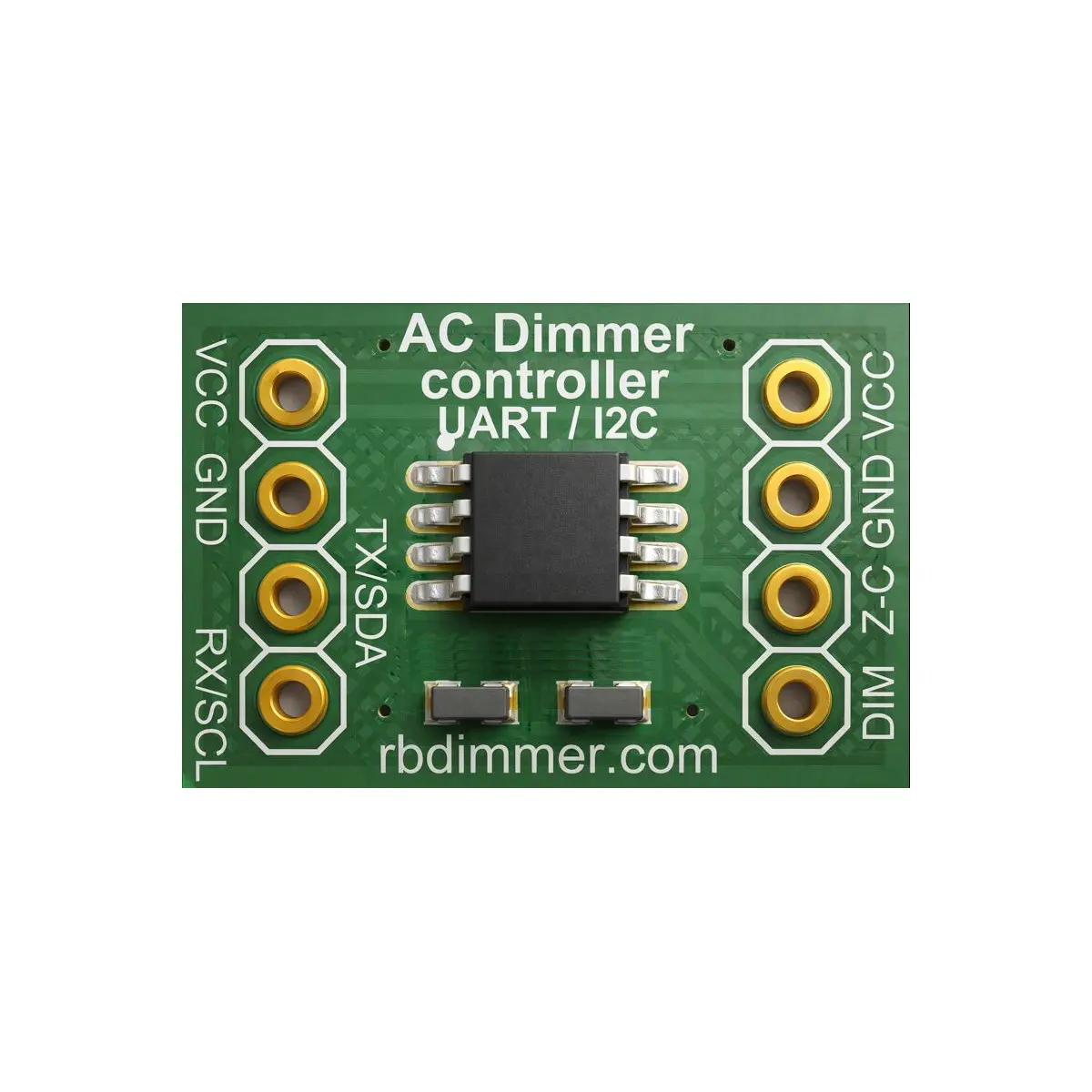
- Product Page: DImmerLink on rbdimmer.com
- AliExpress Page: DImmerLink on AliExpress
Two Integration Methods
DimmerLink supports two approaches for ESPHome integration:
1. External Component (Recommended)
A ready-to-use ESPHome component with clean YAML configuration. No C++ or lambda code required.
external_components:
  - source: github://robotdyn-dimmer/DimmerLink@main
    components: [dimmerlink]
    refresh: 1d

dimmerlink:
  id: dimmer1
  address: 0x50

light:
  - platform: dimmerlink
    dimmerlink_id: dimmer1
    name: "Dimmer"
Best for: Most users. Simple YAML, automatic I2C communication, built-in sensors, selects, and buttons.
2. Lambda Integration (Advanced)
Direct I2C register access using ESPHome lambda functions. Provides full control over communication protocol.
output:
  - platform: template
    id: dimmer_out
    type: float
    write_action:
      - lambda: |-
          uint8_t level = (uint8_t)(state * 100.0f);
          uint8_t data[2] = {0x10, level};
          id(bus_a).write(0x50, data, 2, true);

light:
  - platform: monochromatic
    name: "Dimmer"
    output: dimmer_out
Best for: Advanced users who need custom logic, non-standard configurations, or want to understand the I2C protocol in detail.
Comparison of Integration Methods
| Feature | External Component | Lambda Integration |
|---|---|---|
| Setup complexity | Simple YAML | Requires C++ lambdas |
| Lines of code | ~30 lines | ~100+ lines |
| Sensors & status | Built-in | Manual implementation |
| Dimming curve select | Built-in | Manual implementation |
| Reset / Recalibrate | Built-in buttons | Manual commands |
| Multiple devices | Native support | Manual per-device |
| Customization | Standard options | Full flexibility |
| I2C error handling | Automatic | Manual |
Architecture
Home Assistant
      │
      │ WiFi (Native API)
      ▼
   ESP32 + ESPHome
      │
      │ I2C (100 kHz)
      ▼
  DimmerLink
      │
      │ Zero-Cross + Gate
      ▼
   AC Dimmer (TRIAC)
      │
      │ AC 110/220V
      ▼
    Lamp
Quick Start
Wiring
ESP32          DimmerLink
─────          ──────────
3.3V     →     VCC
GND      →     GND
GPIO21   →     SDA
GPIO22   →     SCL
Minimal Configuration (External Component)
esphome:
  name: dimmerlink

esp32:
  board: esp32dev

logger:
api:
ota:

wifi:
  ssid: "YOUR_WIFI"
  password: "YOUR_PASSWORD"

external_components:
  - source: github://robotdyn-dimmer/DimmerLink@main
    components: [dimmerlink]
    refresh: 1d

i2c:
  sda: GPIO21
  scl: GPIO22

dimmerlink:
  id: dimmer1

light:
  - platform: dimmerlink
    dimmerlink_id: dimmer1
    name: "Dimmer"
    gamma_correct: 1.0
Entity Types (External Component)
| Entity | Platform | Description |
|---|---|---|
| Light | dimmerlink |
Brightness control (0-100%) |
| Sensor | dimmerlink |
AC frequency, brightness level, firmware version |
| Binary Sensor | dimmerlink |
Ready status, error flag, calibration status |
| Select | dimmerlink |
Dimming curve (LINEAR / RMS / LOG) |
| Button | dimmerlink |
Reset, Recalibrate commands |
Related Documentation
| Document | Description |
|---|---|
| I2C Communication | I2C protocol and register map |
| Hardware Connection | Connection diagrams |
| Quick Start Guide | Getting started with DimmerLink |
| FAQ & Troubleshooting | Common issues and solutions |
Version History
| Version | Date | Changes |
|---|---|---|
| 1.0 | 2026-02 | Initial release: lambda integration documentation |
| 1.1 | 2026-02 | Added external component |